4 days ago
Best POS System for Repair Shops in the Philippines 2026
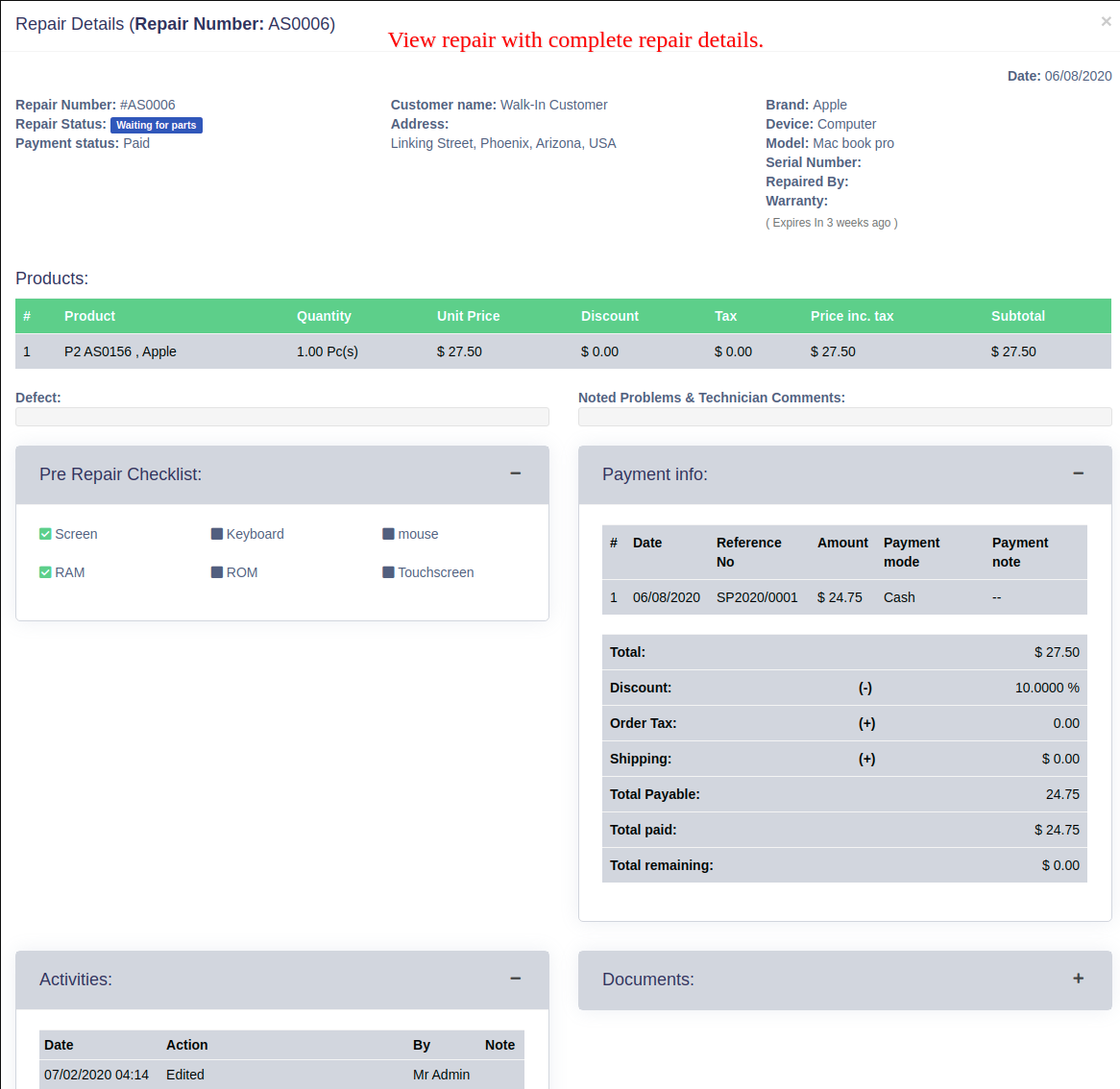
Running a repair shop in the Philippines comes with unique challenges — tracking job orders, managing spare parts inventory, assigning technicians, and making sure customers are updated on their repair status. A generic POS system won't cut it. You need repair shop management software built for how service businesses actually operate.
In this guide, we break down what to look for in a POS system for repair shops in the Philippines — and why a cloud-based solution is the smarter choice for Filipino repair business owners in 2026.
Why Repair Shops Need a Specialized POS System
Most POS systems are built for retail — scan a product, collect payment, done. But a repair shop workflow is completely different:
- A customer drops off a phone, laptop, or appliance
- You create a job sheet with the problem description
- A technician is assigned and works on the repair
- The customer needs to be informed when it's ready
- Parts used need to be deducted from inventory
- Payment is collected upon pickup
Without the right system, all of this is tracked manually — on paper, in notebooks, or scattered across spreadsheets. This leads to lost job orders, forgotten follow-ups, and unhappy customers.
What to Look for in Repair Shop Management Software
When evaluating a POS system for your repair shop in the Philippines, look for these features:
Job Sheet Management — Create and track repair tickets from drop-off to completion. Each job sheet should record the item, the problem, the assigned technician, and the current repair status.
Technician Assignment — Assign specific repairs to specific staff members and track who is working on what.
Repair Status Tracking — Update repair progress in real time so you and your customer always know where the repair stands.
Parts and Inventory Management — Every part used in a repair should automatically be deducted from your stock. This prevents over-ordering and catches shortages before they delay repairs.
Invoice Generation — Convert completed job sheets directly into invoices. No double entry, no manual recomputation.
Customer Notifications — A good repair shop POS should make it easy to inform customers when their item is ready for pickup.
Cloud-Based vs. Desktop: Which is Better for PH Repair Shops?
Many repair shops in the Philippines still use desktop-based systems or manual logbooks. The problem with desktop software is that your data is stuck on one computer. If that machine breaks, your records are gone.
Cloud-based repair shop management software solves this. You can check job orders from your phone, monitor your technicians remotely, and never lose a repair record. For shop owners managing multiple branches or technicians working in the field, cloud access is a massive advantage.
POSExpress: Repair Shop POS Built for Philippine SMBs
POSExpress is a cloud-based business management system designed specifically for small and medium businesses in the Philippines. It includes a full repair service management module that covers everything a repair shop needs:
- Create and manage job sheets from any device
- Assign repairs to specific technicians
- Track repair status from received to completed
- Automatically update inventory when parts are consumed
- Convert job sheets to invoices in one click
- Access your repair records anywhere, anytime
Beyond the repair module, POSExpress also includes inventory management, HR and payroll, customer CRM, and sales reports — all in one affordable system.
There is no software to install. No expensive hardware required. Just open your browser, log in, and start managing your repair business.
Get Started Free
If you run a cellphone repair shop, computer repair shop, appliance repair center, or any service-based business in the Philippines, POSExpress is built for you.
Start your free trial today at posexpress.io and see how much easier repair shop management can be.