4 days ago
How to Manage Multiple Branch Inventory with One System in the Philippines
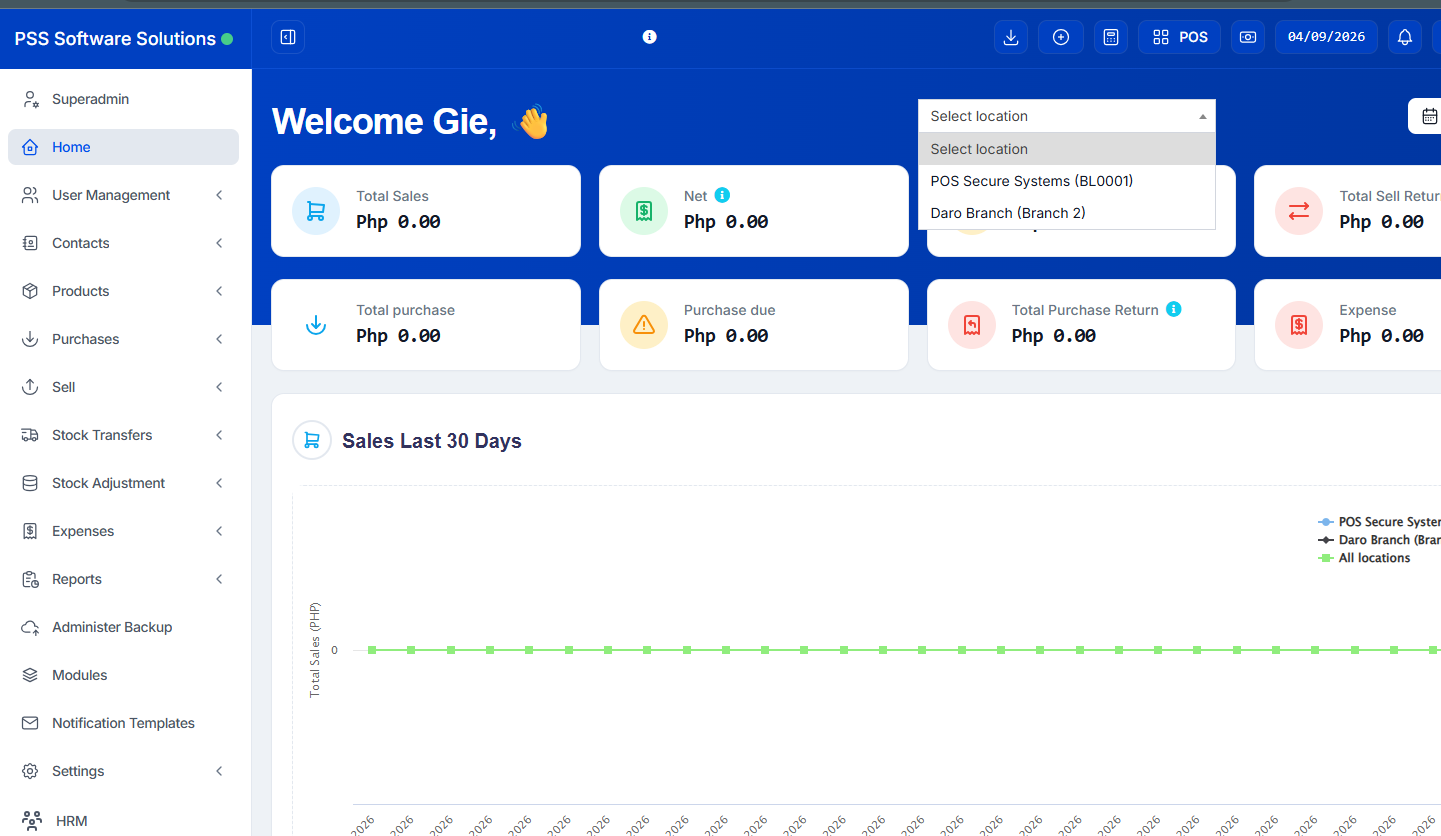
One of the biggest growing pains for Filipino business owners is opening a second or third branch. What used to be manageable with a notebook or single computer suddenly becomes chaos — different stock levels at each location, no visibility across branches, and no way to know your total sales without calling each store individually.
If this sounds familiar, the problem is not your business. The problem is your system. What you need is a multi-branch inventory management system that gives you one unified view of all your locations in real time.
Why Managing Multiple Branches Manually Breaks Down
When Filipino SMB owners expand to multiple locations, these are the problems that show up fast:
- You cannot see stock levels at Branch B when you are at Branch A
- Staff at each branch use different methods to track inventory — some use notebooks, some use Excel
- Stock transfers between branches are not recorded properly, leading to discrepancies
- You only find out a branch ran out of stock after a customer complains
- End-of-day sales reports from each branch have to be compiled manually
The result is wasted time, missed sales, and inventory shrinkage that nobody can explain.
What a Multi-Branch POS System Should Do
A proper cloud-based inventory system for multiple branches should give you the following:
Centralized Dashboard — See all branches in one screen. Total sales, total stock, and performance per location — all in one place without switching between systems.
Real-Time Stock Visibility — When a sale is made at Branch A, stock levels update instantly. You see the accurate count across all locations at any time of the day.
Inter-Branch Stock Transfers — Move stock from your warehouse or main branch to other locations with a proper transfer record. No more informal text messages saying "padala na ng stock."
Branch-Level Reports — See which branch is performing best, which products are moving in each location, and where you are losing money.
Single Login, Multiple Locations — Your staff at each branch uses the same system. No need to manage separate software per location.
User Access Control — Limit what each staff member can see and do. A cashier at Branch B should not have access to Branch A's data or your payroll records.
The Cost of Not Having a Unified System
Most Filipino business owners underestimate how much untracked inventory costs them. Stock that goes missing between branches, overordering because you do not know another branch has excess, and staff errors that go undetected for weeks — these losses add up quietly every single month.
A cloud-based multi-branch POS system pays for itself by eliminating these losses and giving you the visibility to make faster, smarter decisions.
POSExpress: Multi-Branch Inventory Management for Philippine SMBs
POSExpress is a cloud-based business management system built specifically for small and medium businesses in the Philippines. Its multi-branch and warehouse management features are designed for growing Filipino businesses:
- Manage stock across multiple branches and warehouses in one place
- See real-time inventory updates the moment a sale or transfer is made
- Transfer stock between branches with proper records
- Set user roles and permissions per branch so staff only access what they need
- View branch-level sales and inventory reports side by side
- Access everything from any device — phone, tablet, or desktop — with just a browser
Whether you have two branches or ten, POSExpress scales with your business without increasing complexity.
Get Started Free
If you are expanding your business across multiple locations in the Philippines and your current system cannot keep up, POSExpress is built for exactly this situation.
Start your free trial at posexpress.io and get full visibility across all your branches from day one.