3 days ago
How to Track Your GCash Cash In and Cash Out Transactions as a Pera Outlet
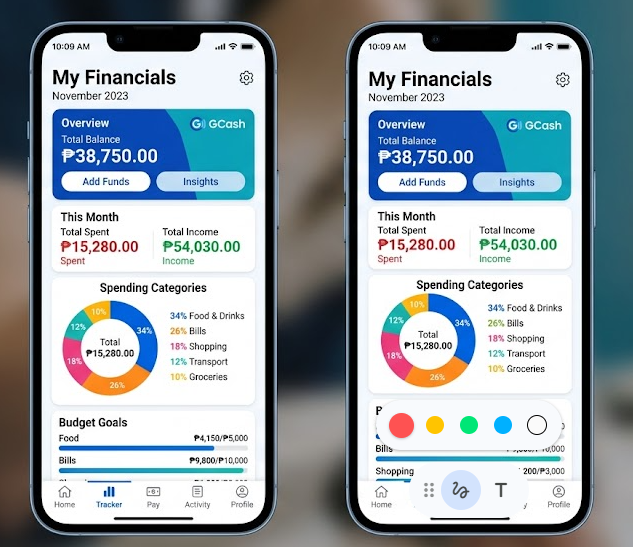
If you run a GCash Pera Outlet from your sari-sari store, convenience store, or small shop, you already know the challenge. Customers come in all day to cash in and cash out. You process the transactions on your GCash app — but at the end of the day, do you actually know how much you earned? How much float you used? How many transactions you processed?
Most Pera Outlet operators track everything in a notebook. Some use a simple Excel sheet. A few do not track at all and just check their GCash balance at the end of the day and hope the numbers make sense.
This guide will show you a better way to track your GCash cash in and cash out transactions so you always know where your money is, how much you earned in fees, and whether your Pera Outlet business is actually profitable.
Why Tracking Your GCash Transactions Matters
GCash does not give you a detailed daily business report as a Pera Outlet operator. The app shows your transaction history, but it does not tell you:
- How much you earned in service fees today
- How many cash in versus cash out transactions you processed
- How much float you started with and ended with
- Whether a specific transaction had a discrepancy
- Your weekly or monthly income from the Pera Outlet business
Without tracking this yourself, you are running your GCash business blind. You might be processing hundreds of pesos worth of transactions daily but not know if you are actually making money after accounting for your float, fees, and time.
What You Should Track Every Day
For every GCash Pera Outlet transaction, you should record the following:
Date and Time — When did the transaction happen?
Transaction Type — Was it a cash in or cash out?
Customer GCash Number — The last four digits at minimum, for reference in case of disputes.
Amount — How much did the customer cash in or cash out?
Service Fee Earned — Cash in transactions earn you a fee from GCash. Cash out transactions charge the customer 2% which comes to you. Record this separately.
Running Float Balance — Your float is the actual cash you have available to process cash out transactions. After every cash out, your physical cash decreases. After every cash in, your GCash wallet balance decreases. Always track this so you never run out of float mid-day.
Reference Number — GCash gives a reference number for every transaction. Record this in case you need to dispute or verify a transaction later.
The Notebook Method vs a Digital Tracker
Most Pera Outlet operators use a physical notebook or logbook — and GCash even recommends this in their official guidelines. The notebook method works, but it has limitations:
- Hard to compute your total earnings at the end of the day
- Easy to make math errors
- Cannot search for a specific transaction quickly
- Difficult to see weekly or monthly trends
- Gets lost or damaged
A digital GCash cash in and cash out tracking system solves all of these problems. Whether it is a spreadsheet or a dedicated app, tracking digitally lets you see your totals instantly, spot discrepancies fast, and understand your Pera Outlet income over time.
How to Compute Your Daily Pera Outlet Earnings
Here is a simple formula to know how much you earned from your GCash Pera Outlet in a day:
Cash In Fee — GCash pays you a portion of the 1% service fee charged to the customer for every cash in transaction. Track the total amount of all cash in transactions and multiply by your fee rate.
Cash Out Fee — The customer pays 2% for cash out. A portion goes to you as the outlet operator. Track total cash out amounts and compute accordingly.
Total Daily Income = Cash In Fees + Cash Out Fees
At the end of each day, your GCash wallet balance plus your physical cash on hand should equal your starting float plus your net earnings. If the numbers do not match, there was a discrepancy somewhere in your records.
Using a POS System to Manage Your Pera Outlet and Store Together
If you are running a Pera Outlet alongside a regular retail store — which many sari-sari store and convenience store owners do — tracking GCash transactions separately from your store sales creates double work.
A cloud-based POS system like POSExpress lets you manage your entire store operation in one place. Track your product sales, inventory, expenses, and daily cash flow all together so you get a complete picture of your business every single day — not just your GCash transactions in isolation.
For Pera Outlet operators who are growing their business and want to manage everything more professionally, POSExpress is built for exactly that kind of Filipino SMB.
Get a Free GCash Transaction Tracker
To help you get started, you can use a simple daily tracker to record all your GCash Pera Outlet transactions. Start with the basics — date, transaction type, amount, fee earned, and running float — and build the habit of recording every single transaction.
Once your business grows and you are managing more transactions daily alongside your store operations, try POSExpress free at posexpress.io to manage everything in one system.